Skinnable interface in (wx)Python?

Is there an easy way of making a skinnable and rather fancy looking
interface using wxPython? Lets say something like Windows Media
Player, BSPlayer, and such? I would really like to use wxPython, since
I already used it succesfully on some other projects, but if wxPython
is not suitable for such a task, I'm wondering is there some other
Python alternative?

Thanks for all your suggestions :).

···

--
Karlo Lozovina -- Mosor
"Parce mihi domine quia Dalmata sum."

Well… I guess it depends on what would you consider “an easy way”…
There is no official way (a specialized control) but… if you want to make such a beast… it wouldn’t be too hard and it would be a great contribution to the toolkit…

The way I would do it is like this:

  1. A custom wx.Panel with 2 or 3 bitmaps (normal, mouse_over and activated) stored them in some internal bitmaps
  2. Handlers for Mouse events that would trigger repaints.
  3. a custom wx.EVT_PAINT that checks to see if the mouse is in one of the rectangles from a predefined list of rectangles (the rough area of the button) and blits the appropriate rectangle from the appropriate bitmap (mouse_over or activated).

Of course you can implement this in other toolkits like pygame BUT the main advantage of doing this is in wxpython is that we have here a great community and you WILL get help if you need it. I believe people would love such a control and so… you might get even contributions for optimization and such.

Peter.

···

On 10/3/06, Karlo Lozovina karlo.lozovina@gmail.com wrote:

Is there an easy way of making a skinnable and rather fancy looking
interface using wxPython? Lets say something like Windows Media
Player, BSPlayer, and such? I would really like to use wxPython, since
I already used it succesfully on some other projects, but if wxPython

is not suitable for such a task, I’m wondering is there some other
Python alternative?

Thanks for all your suggestions :).


Karlo Lozovina – Mosor
“Parce mihi domine quia Dalmata sum.”


To unsubscribe, e-mail: wxPython-users-unsubscribe@lists.wxwidgets.org

For additional commands, e-mail: wxPython-users-help@lists.wxwidgets.org

There is NO FATE, we are the creators.

You may want to check out this open source project:

http://earthclock.xentax.com

This software is written using wxPython and the interface is skinnable. I "borrowed" some ideas from here for my own skinned GUI app that I am working on right now. Thanks.

Best regards,

Nizam

Karlo Lozovina wrote:

···

Is there an easy way of making a skinnable and rather fancy looking
interface using wxPython? Lets say something like Windows Media
Player, BSPlayer, and such? I would really like to use wxPython, since
I already used it succesfully on some other projects, but if wxPython
is not suitable for such a task, I'm wondering is there some other
Python alternative?

Thanks for all your suggestions :).

--
No virus found in this outgoing message.
Checked by AVG Free Edition.
Version: 7.1.407 / Virus Database: 268.12.12/461 - Release Date: 10/2/2006

Well... I guess it depends on what would you consider "an easy way"...
There is no official way (a specialized control) but... if you want to make
such a beast... it wouldn't be too hard and it would be a great contribution
to the toolkit...

Although I wouldnt like anything better than making such an addon to
wxPython and helping the community - there are other things to
consider. I'm on a rather tight schedule and I can't just devote a
month or two for developing the tools to do my job.

The way I would do it is like this:
1. A custom wx.Panel with 2 or 3 bitmaps (normal, mouse_over and activated)
stored them in some internal bitmaps
2. Handlers for Mouse events that would trigger repaints.
3. a custom wx.EVT_PAINT that checks to see if the mouse is in one of the
rectangles from a predefined list of rectangles (the rough area of the
button) and blits the appropriate rectangle from the appropriate bitmap
(mouse_over or activated).

When you put it that way, it seems like a one afternoon job, but I bet
that's not all to it :). So, here is a short list of most important
features I must implement in my app, and You (and the rest of the
list) can tell me how much time and effort it would take to implement
something like this:

- windows with backgrounds (possibly animated)
- animated buttons with different visual responses for mouse over,
mouse press and such
- buttons with all of the above but in non-standard shapes and sizes
(oval shaped, arrow shaped...)
- ListCtrl and ListBox with alternating backgrouns for each row
- the ability to play .avi files inside a window
- colorfull progress bars that change colour based on the progress bar position

How hard and how much time do you think implementing this would take?

Of course you can implement this in other toolkits like pygame BUT the main
advantage of doing this is in wxpython is that we have here a great
community and you WILL get help if you need it. I believe people would love
such a control and so... you might get even contributions for optimization
and such.

Pygame also looks promising, but I'm worried as to how hard it would
be to develop a functional and rather complicated UI with it. Since
I'm not developing a game, but rather a flashy application.

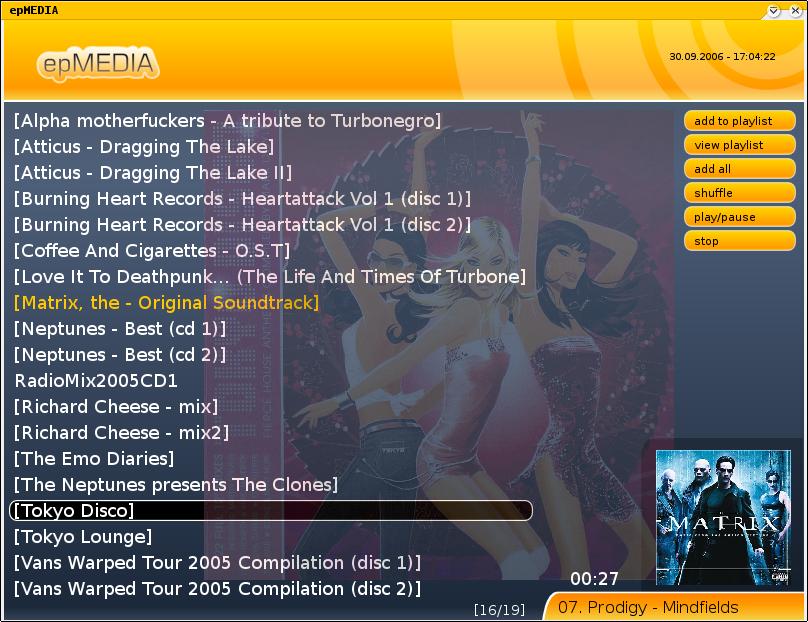
I found this screenshot (http://www.pygame.org/shots/227.jpg), and it
looks like something I need - but how about adding menues, notebooks,
tree controls and other standard UI elements using Pygame?

Basicaly, PyGame does seem like a more powerfull and extensible
option, but will I have to reinvent all the basic GUI elements or is
there a more simple approach? Pure wxPython lacks neccessary fancy
features but it has all the usual stuff allready done...

I'm quite confused :). Any ideas, opinions and suggestions are wellcomed...

···

On 10/3/06, Peter Damoc <pdamoc@gmail.com> wrote:

--
Karlo Lozovina -- Mosor
"Parce mihi domine quia Dalmata sum."

Karlo,

To address some of your questions:

  • windows with backgrounds (possibly animated)

This is easily done for windows with static backgrounds. Not so sure about the animated stuff. The wx.media.MediaCtrl
widget may come in handy for that.

  • animated buttons with different visual responses for mouse over, mouse press and such

I have implemented this with a wx.BitmapButton. You simply create one of these and then you can set the images for the different states. E.g.,

close_button = wx.BitmapButton( self, -1 )
close_image_off = wx.Image( “gfx/close_off.png”, wx.BITMAP_TYPE_ANY ).ConvertToBitmap()
close_image
on = wx.Image( “gfx/close_on.png”, wx.BITMAP_TYPE_ANY ).ConvertToBitmap()
close

button.SetBitmapLabel( close_image_off )
close_button.SetBitmapDi
sabled( close_image_off )
close_button.SetBitmapFocus( close_image_off )

close_button.SetBitmapSelected( close_image_on )
close_button.SetSize( (11, 10) )
close_button.SetPosition( (904, 4) )

  • buttons with all of the above but in non-standard shapes and sizes (oval shaped, arrow shaped…)

This is easily done if you simply use transparent images and the technique above. 24-bit PNGs work best.

  • ListCtrl and ListBox with alternating backgrouns for each row

This is also easily done. E.g.,

list = wx.ListCtrl( self, -1, style=wx.LC_REPORT|wx.NO_BORDER )
list.InsertColumn( 0, “Item” )
list.SetBackgroundColour(“#1C3D7D”)

list.SetForegroundColour(“#FFFFFF”)
items = [‘abc’, ‘123’, ‘foo’, ‘bar’]
idx = 0
for item in items:
i = list.InsertStringItem( sys.maxint, item )
if idx % 2:
list.SetItemBackgroundColour
( i, “#6788C9” )
idx += 1

  • the ability to play .avi files inside a window

Here’s a link that may help. It shows an example of how to use the wx.media.MediaCtrl widget:

http://www.daniweb.com/code/snippet467.html

  • colorfull progress bars that change colour based on the progress bar position

There’s the wx.Gauge widget but I don’t think it supports different colors. I think it simply inherits the looks and feel of the platform it is on.

Finally, I am attaching the code for a class that I wrote which implements a basic skinnable frame. It supports some basic mouse events like dragging, etc. It can be easily extended to support more features like close, minimize, maximize buttons, etc. I use this as my base class and build more complex stuff on top of it. Thanks.

Best regards,

Nizam

Well… I guess it depends on what would you consider “an easy way”…
There is no official way (a specialized control) but… if you want to make

such a beast… it wouldn’t be too hard and it would be a great contribution
to the toolkit…

Although I wouldnt like anything better than making such an addon to
wxPython and helping the community - there are other things to

consider. I’m on a rather tight schedule and I can’t just devote a
month or two for developing the tools to do my job.

The way I would do it is like this:

  1. A custom wx.Panel
    with 2 or 3 bitmaps (normal, mouse_over and activated)

skinnableframe.py (5.29 KB)

···

On 10/3/06, Karlo Lozovina karlo.lozovina@gmail.com wrote:

On 10/3/06, Peter Damoc < pdamoc@gmail.com> wrote:

stored them in some internal bitmaps
2. Handlers for Mouse events that would trigger repaints.
3. a custom wx.EVT_PAINT that checks to see if the mouse is in one of the

rectangles from a predefined list of rectangles (the rough area of the
button) and blits the appropriate rectangle from the appropriate bitmap
(mouse_over or activated).

When you put it that way, it seems like a one afternoon job, but I bet
that’s not all to it :). So, here is a short list of most important
features I must implement in my app, and You (and the rest of the

list) can tell me how much time and effort it would take to implement
something like this:

  • windows with backgrounds (possibly animated)
  • animated buttons with different visual responses for mouse over,

mouse press and such

  • buttons with all of the above but in non-standard shapes and sizes
    (oval shaped, arrow shaped…)
  • ListCtrl and ListBox with alternating backgrouns for each row
  • the ability to play .avi files inside a window
  • colorfull progress bars that change colour based on the progress bar position

How hard and how much time do you think implementing this would take?

Of course you can implement this in other toolkits like pygame BUT the main
advantage of doing this is in wxpython is that we have here a great
community and you WILL get help if you need it. I believe people would love

such a control and so… you might get even contributions for optimization
and such.

Pygame also looks promising, but I’m worried as to how hard it would
be to develop a functional and rather complicated UI with it. Since

I’m not developing a game, but rather a flashy application.

I found this screenshot (http://www.pygame.org/shots/227.jpg), and it
looks like something I need - but how about adding menues, notebooks,

tree controls and other standard UI elements using Pygame?

Basicaly, PyGame does seem like a more powerfull and extensible
option, but will I have to reinvent all the basic GUI elements or is

there a more simple approach? Pure wxPython lacks neccessary fancy
features but it has all the usual stuff allready done…

I’m quite confused :). Any ideas, opinions and suggestions are wellcomed…


Karlo Lozovina – Mosor
“Parce mihi domine quia Dalmata sum.”


To unsubscribe, e-mail: wxPython-users-unsubscribe@lists.wxwidgets.org
For additional commands, e-mail: wxPython-users-help@lists.wxwidgets.org