dialog.EndModal(wx.ID_CANCEL) not working

This is really gross, and I apologize in advance, but I was able to strip it down to the essentials and still break it. This is wxPython 2.9.2/wxOSX_Cocoa, Mac OS 10.7, Python 2.7.2.

For long-running processes, which do all of the important work in my app, I have this procedure:

  1. Create a Thread with a set of methods to call depending on the activity and exit value of the target function. In the context of the GUI, these methods simply create and post an event to the parent window.

  2. Create a Pipe which the thread will listen on; the other end is passed to the target function wrapper

  3. Create a Process object with the actual target function, wrapped in a try/except to propagate exceptions through the pipe back to the parent process

  4. Start the thread, which in turn starts the process, and listens on the pipe for any kind of printed output, intermediate data, errors, or return value, any of which are passed back to the parent window via events.

  5. When the target function completes, call join() on the child process, and exit the thread.

For some quick tasks where I don’t need to display printed output or intermediate data, I use a simple dialog with a wx.Gauge to handle the process. This is the attached sample. Normally this works just fine, especially if the target function returns without raising an exception. In the sample, this is the first dialog that pops up. There seems to be an unusually long pause of several seconds after the process finishes and the dialog closes, but at least it continues on. The second dialog is handling a function that immediately raises a RuntimeError. This should be safely intercepted, the thread and process should end, the dialog should finish and close, and the exception should be re-raised in the main thread. Instead, I get a blank dialog (attached), and although it calls self.EndModal(wx.ID_CANCEL), ShowModal() never actually returns. Inspecting the Python process with Apple’s Activity Monitor indicated that it was still running a modal dialog event loop.

So, I’m stuck - this is really dangerous, and it’s not the first time I’ve seen a dialog freeze up like this (I could never reproduce the previous instance in a self-contained script). In practice, when I try deliberately breaking it in the context of my entire app by raising an exception in a target function, it seems to respond okay. But since the minimal sample (which is also my regression test) breaks, I’m very concerned about how this will behave “in the wild”.

Any ideas?

-Nat

debug_process.py (11.7 KB)
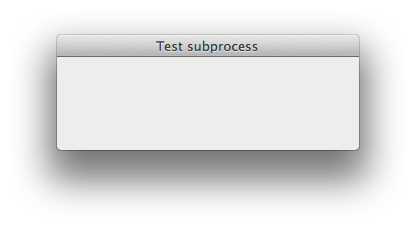
dialog.png

  This is really gross, and I apologize in advance, but

I was able to strip it down to the essentials and still break it.
This is wxPython 2.9.2/wxOSX_Cocoa, Mac OS 10.7, Python 2.7.2.

    For long-running processes, which do all of the important

work in my app, I have this procedure:

    1. Create a Thread with a set of methods to call depending on

the activity and exit value of the target function. In the
context of the GUI, these methods simply create and post an
event to the parent window.

    2. Create a Pipe which the thread will listen on; the other

end is passed to the target function wrapper

    3. Create a Process object with the actual target function,

wrapped in a try/except to propagate exceptions through the pipe
back to the parent process

    4. Start the thread, which in turn starts the process, and

listens on the pipe for any kind of printed output, intermediate
data, errors, or return value, any of which are passed back to
the parent window via events.

    5. When the target function completes, call join() on the

child process, and exit the thread.

    For some quick tasks where I don't need to display printed

output or intermediate data, I use a simple dialog with a
wx.Gauge to handle the process. This is the attached sample.
Normally this works just fine, especially if the target
function returns without raising an exception. In the sample,
this is the first dialog that pops up. There seems to be an
unusually long pause of several seconds after the process
finishes and the dialog closes, but at least it continues on.
The second dialog is handling a function that immediately
raises a RuntimeError. This should be safely intercepted, the
thread and process should end, the dialog should finish and
close, and the exception should be re-raised in the main thread.
Instead, I get a blank dialog (attached), and although it calls
self.EndModal(wx.ID_CANCEL), ShowModal() never actually returns.
Inspecting the Python process with Apple’s Activity Monitor
indicated that it was still running a modal dialog event loop.

It sounds like your problem is here - ALL GUI elements - including

progress dialogues - need to belong to the top level program not to
a process it started - what you need to do is to have the top level
program create the progress dialogue, set up an event handler for a
myevt_Report_Progress event that will handle progress reporting
events from your sub-processes and a myevt_Cancel_Selected handler
for the dialogue - show the dialogue and start the process, it
should raise myevt_Report_Progress events that cause the main
program to update the progress bar. If the user selects cancel then
kill the process from the main program and hide/delete the
dialogue. On the thread exit call in your top level program
a tidy up that hides/deletes the progress dialogue, also call this
from the top level programs exception handler as well.

Hope that helps.

Gadget/Steve
···

wxPython-users+unsubscribe@googlegroups.com
http://groups.google.com/group/wxPython-users?hl=en

Sorry, I think you misunderstood my message: all GUI elements are created and modified in the main process/thread; the forked process only runs non-GUI code, without exception*. The secondary Python thread, which manages communications with the process, will post wx events, but unless I’m grossly misinformed, this is permitted and quite safe. Regardless, at the point where the dialog gets stuck, the secondary process has already exited, so this is not the problem.

-Nat

(* I admit I’ve never established whether there are side effects from forking Python while a GUI is running. However, only non-graphical code is run, and I’ve been doing this ever since Python 2.6 came out several years ago without any problems, on multiple platforms.)

···

On Thu, Aug 18, 2011 at 12:49 AM, Gadget/Steve GadgetSteve@live.co.uk wrote:

It sounds like your problem is here - ALL GUI elements - including

progress dialogues - need to belong to the top level program not to
a process it started

Hi Nat,

It sounds like your problem is here - ALL GUI elements - including

progress dialogues - need to belong to the top level program not to
a process it started

Sorry, I think you misunderstood my message: all GUI elements are created and modified in the main process/thread; the forked process only runs non-GUI code, without exception*. The secondary Python thread, which manages communications with the process, will post wx events, but unless I’m grossly misinformed, this is permitted and quite safe. Regardless, at the point where the dialog gets stuck, the secondary process has already exited, so this is not the problem.

Playing with the code, my theory is that the error call is happening before wx.Dialog even gets to the point of running the modal event loop. The problem is that on Mac, the dialog is given app modality AFTER being shown. So your call to EndModal happens too early and calls Hide() just after the Mac dialog is shown, but then wx.Dialog.ShowModal continues and proceeds to start a modal event loop with the dialog after this. So you get a zombie dialog running in a modal event loop. You might try wx.CallAfter(self.EndModal, wx.ID_CANCEL) though in my testing using CallAfter gave sporadic results.

The only way I can think of to debug this further though is to start putting print statements in wxDialog::ShowModal in dialog_osx.cpp so that you can see the exact order of calls, to confirm this. However, I don’t know how to tackle this aside from either having the started process sleep a bit before running, or actually altering wxDialog::ShowModal to check if the dialog has been hidden before starting the modal event loop. Or, simply using Show() instead of ShowModal() and just disabling the other windows running in your app.

Regards,

Kevin

···

On Aug 18, 2011, at 7:28 AM, Nat Echols wrote:

On Thu, Aug 18, 2011 at 12:49 AM, Gadget/Steve GadgetSteve@live.co.uk wrote:

-Nat

(* I admit I’ve never established whether there are side effects from forking Python while a GUI is running. However, only non-graphical code is run, and I’ve been doing this ever since Python 2.6 came out several years ago without any problems, on multiple platforms.)

To unsubscribe, send email to wxPython-users+unsubscribe@googlegroups.com

or visit http://groups.google.com/group/wxPython-users?hl=en

Playing with the code, my theory is that the error call is happening before wx.Dialog even gets to the point of running the modal event loop. The problem is that on Mac, the dialog is given app modality AFTER being shown. So your call to EndModal happens too early and calls Hide() just after the Mac dialog is shown, but then wx.Dialog.ShowModal continues and proceeds to start a modal event loop with the dialog after this. So you get a zombie dialog running in a modal event loop. You might try wx.CallAfter(self.EndModal, wx.ID_CANCEL) though in my testing using CallAfter gave sporadic results.

I tried this already - didn’t seem to help. I also tried waiting to show the process until the window is actually show (as indicated by wx.EVT_SHOW), which also didn’t work.

The only way I can think of to debug this further though is to start putting print statements in wxDialog::ShowModal in dialog_osx.cpp so that you can see the exact order of calls, to confirm this. However, I don’t know how to tackle this aside from either having the started process sleep a bit before running, or actually altering wxDialog::ShowModal to check if the dialog has been hidden before starting the modal event loop. Or, simply using Show() instead of ShowModal() and just disabling the other windows running in your app.

Adding a 1-second wait did in fact allow the second dialog to finish closing. Do you have any additional insight into why EndModal takes so long to finish for the first function? In that case, the window is shown for several seconds, but there is still a huge pause before ShowModal returns. (And for what it’s worth, everything works exactly as I intended in 2.8.12/Carbon, and very quickly.)

I’m reluctant to drop ShowModal() because it’s very convenient to be able to call a function and get a return value instead of adding more callbacks. I guess I may not have a choice in this case if I want my app to be stable with this platform and/or version; fortunately, there isn’t anything in my code that fundamentally prevents the change. However, this is clearly a serious bug in wxWidgets - your explanation fits well with the problem I noticed previously, where I get a zombie dialog if I hit return too quickly.

-Nat

···

On Thu, Aug 18, 2011 at 10:37 AM, Kevin Ollivier kevin-lists@theolliviers.com wrote:

Hi Nat,

Playing with the code, my theory is that the error call is happening before wx.Dialog even gets to the point of running the modal event loop. The problem is that on Mac, the dialog is given app modality AFTER being shown. So your call to EndModal happens too early and calls Hide() just after the Mac dialog is shown, but then wx.Dialog.ShowModal continues and proceeds to start a modal event loop with the dialog after this. So you get a zombie dialog running in a modal event loop. You might try wx.CallAfter(self.EndModal, wx.ID_CANCEL) though in my testing using CallAfter gave sporadic results.

I tried this already - didn’t seem to help. I also tried waiting to show the process until the window is actually show (as indicated by wx.EVT_SHOW), which also didn’t work.

The only way I can think of to debug this further though is to start putting print statements in wxDialog::ShowModal in dialog_osx.cpp so that you can see the exact order of calls, to confirm this. However, I don’t know how to tackle this aside from either having the started process sleep a bit before running, or actually altering wxDialog::ShowModal to check if the dialog has been hidden before starting the modal event loop. Or, simply using Show() instead of ShowModal() and just disabling the other windows running in your app.

Adding a 1-second wait did in fact allow the second dialog to finish closing. Do you have any additional insight into why EndModal takes so long to finish for the first function? In that case, the window is shown for several seconds, but there is still a huge pause before ShowModal returns. (And for what it’s worth, everything works exactly as I intended in 2.8.12/Carbon, and very quickly.)

Nothing concrete, but if I were to guess, it’s related to the ShowModal problem. EndModal calls Show(False), just as ShowModal calls Show(True), so if something in Show is causing the event loop to run, that would mean the method would not complete until whatever was on the event queue already was processed.

I’m reluctant to drop ShowModal() because it’s very convenient to be able to call a function and get a return value instead of adding more callbacks. I guess I may not have a choice in this case if I want my app to be stable with this platform and/or version; fortunately, there isn’t anything in my code that fundamentally prevents the change. However, this is clearly a serious bug in wxWidgets - your explanation fits well with the problem I noticed previously, where I get a zombie dialog if I hit return too quickly.

I’d definitely report this as a bug if you haven’t already, hopefully Stefan will be able to take a look at it. I do remember seeing some changes related to run loop handling recently, so I’m not sure if that might be related, but in any case Stefan would know the most about this code.

Regards,

Kevin

···

On Aug 18, 2011, at 11:27 AM, Nat Echols wrote:

On Thu, Aug 18, 2011 at 10:37 AM, Kevin Ollivier kevin-lists@theolliviers.com wrote:

-Nat

To unsubscribe, send email to wxPython-users+unsubscribe@googlegroups.com

or visit http://groups.google.com/group/wxPython-users?hl=en