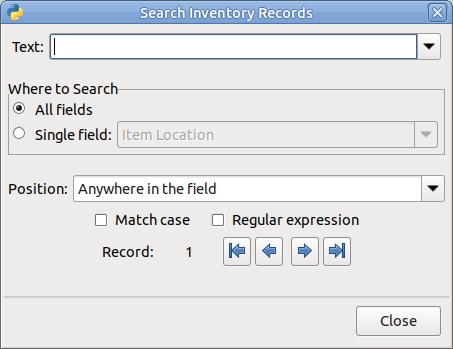
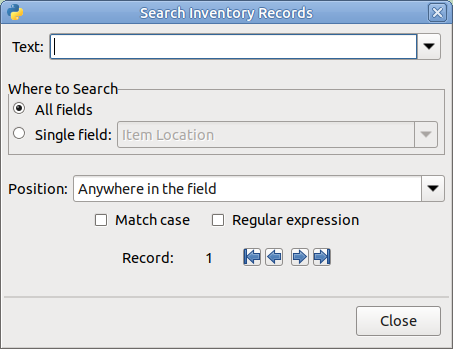
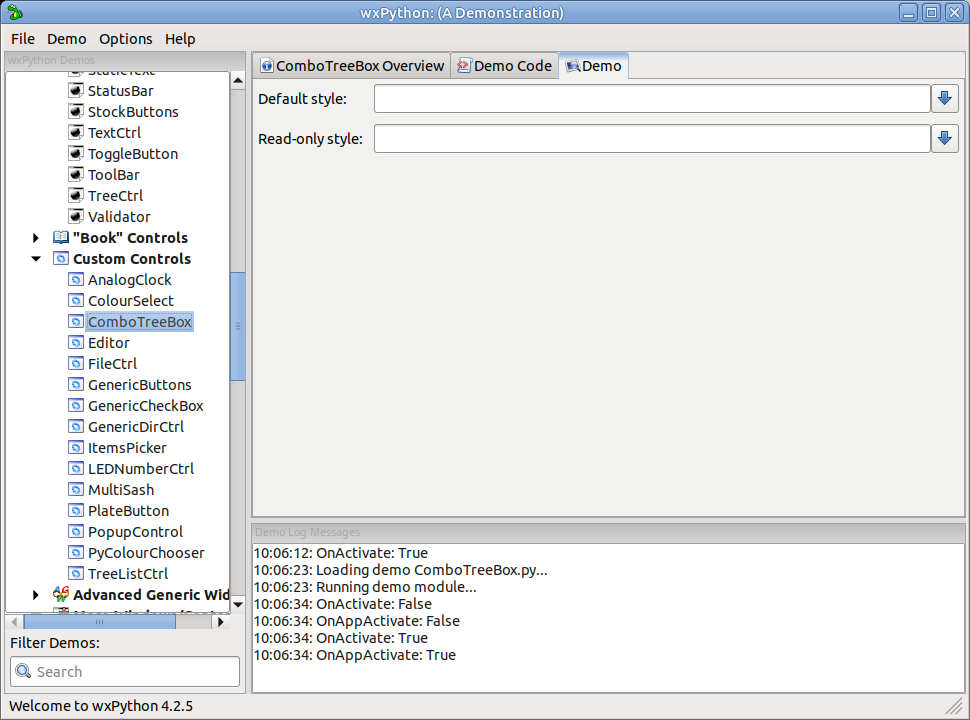
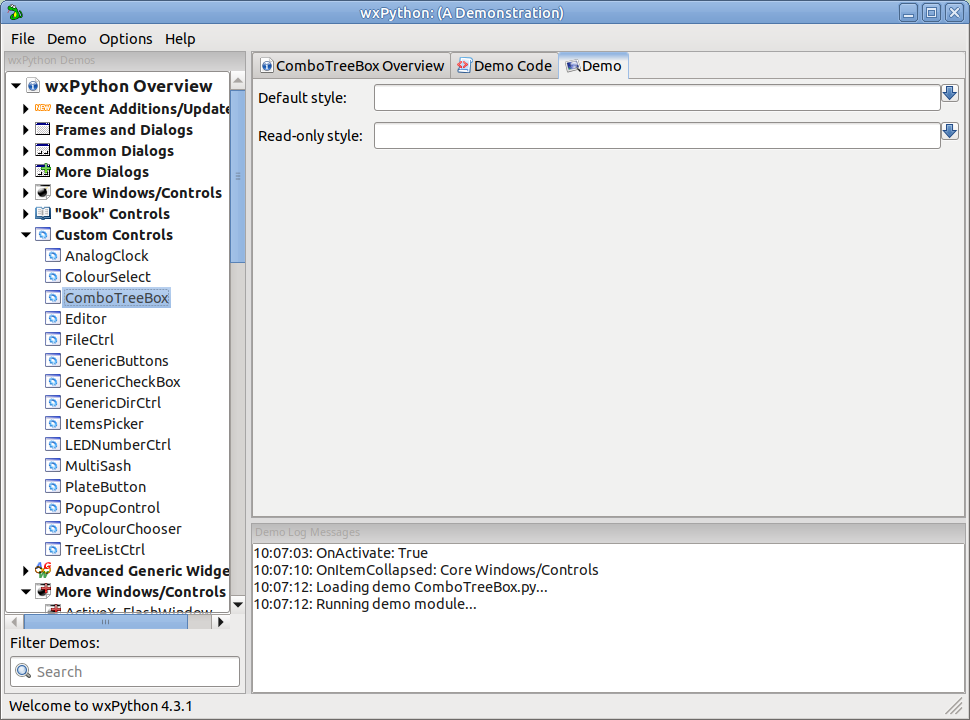
Both my desktop PCs have monitors of the same make and model, running at the same resolution (2560x1440). Therefore, I assume that they are using the same DPI and the sizes of bitmap buttons is being influenced by the desktop environment and/or theme.
As I only develop applications for my own personal use, I did some experiments to see if I could automatically pad the buttons on both Mate and Cinnamon so they were the same as the default sizes on 4.2.5.
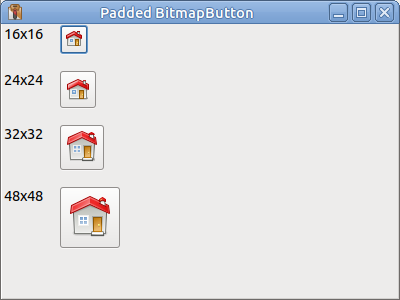
In the following example I sub-classed wx.BitmapButton to override its __init__ method to add the appropriate padding constants to the width and height. It assumes that the code is running on Linux and the desktop environment can be determined from the DESKTOP_SESSION environment variable. Obviously, if your app needed to run on different OSs, you would need a more complex algorithm to select the appropriate constants.
I found the padding values by experiment. The only anomaly I found was for 16x16 bitmaps on Cinnamon which had a much larger padding size than it did for larger bitmaps. However, I have ignored that in the example and just used the same padding values for all sizes on Cinnamon.
import os
import wx

class PaddedBitmapButton(wx.BitmapButton):

    if os.environ.get("DESKTOP_SESSION") == "cinnamon":
        # These match padding on 4.2.5
        # (except for 16x16 bitmaps)
        PAD_W = 18
        PAD_H = 12

    else: # Default to "mate" settings
        PAD_W = 12
        PAD_H = 14

    def __init__(self, parent: wx.Window, id: int=wx.ID_ANY, bitmap: wx.Bitmap=wx.NullBitmap,
                 pos: wx.Point=wx.DefaultPosition, size: wx.Size=wx.DefaultSize, style: int=0,
                 validator: wx.Validator=wx.DefaultValidator, name: str=wx.ButtonNameStr):
        if size == wx.DefaultSize:
            w, h = bitmap.GetSize()
            size = wx.Size(w + self.PAD_W, h + self.PAD_H)
        super().__init__(parent, id, bitmap, pos, size=size, style=style, validator=validator, name=name)

class TestFrame(wx.Frame):
    def __init__(self):
        wx.Frame.__init__(self, None)
        self.SetSize((400, 300))
        self.SetTitle("Padded BitmapButton")
        self.main_panel = wx.Panel(self, wx.ID_ANY)
        flex_sizer = wx.FlexGridSizer(4, 2, 16, 16)
        self.bm_buttons = []

        for bm_size in (16, 24, 32, 48):
            label = f"{bm_size}x{bm_size}"
            stat_text = wx.StaticText(self.main_panel, wx.ID_ANY, label)
            flex_sizer.Add(stat_text, 0, 0, 0)
            bm = wx.ArtProvider.GetBitmap(wx.ART_GO_HOME, wx.ART_OTHER, (bm_size, bm_size))
            bm_button = PaddedBitmapButton(self.main_panel, wx.ID_ANY, bm)
            flex_sizer.Add(bm_button, 0, 0, 0)
            self.bm_buttons.append((label, bm_button))

        self.main_panel.SetSizer(flex_sizer)
        self.Layout()
        self.Bind(wx.EVT_SHOW, self.OnShow)

    def OnShow(self, _event):
        for label, bm_button in self.bm_buttons:
            print(f"{label} - button size = {bm_button.GetSize()}")

if __name__ == "__main__":
    app = wx.App()
    desktop = os.environ.get("DESKTOP_SESSION")
    print(f"wxPython {wx.VERSION_STRING} on {desktop}:")
    frame = TestFrame()
    frame.Show()
    app.MainLoop()
Here is the output from stdout:
wxPython 4.3.1 on mate
16x16 - button size = (28, 30)
24x24 - button size = (36, 38)
32x32 - button size = (44, 46)
48x48 - button size = (60, 62)
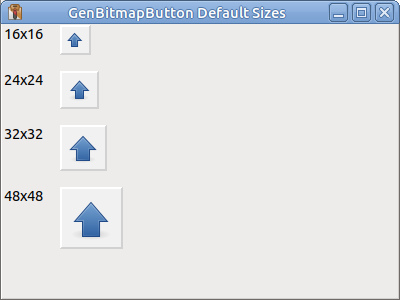
I also had a look at the GenBitmapButton class which doesn’t seem to be affected by the change in default size.
import os
import wx
import wx.lib.buttons as buttons

class MyFrame(wx.Frame):
    def __init__(self):
        wx.Frame.__init__(self, None)
        self.SetSize((400, 300))
        self.SetTitle("GenBitmapButton Default Sizes")

        self.main_panel = wx.Panel(self, wx.ID_ANY)
        flex_sizer = wx.FlexGridSizer(4, 2, 16, 16)

        self.g_buttons = []

        for bm_size in (16, 24, 32, 48):
            label = f"{bm_size}x{bm_size}"
            stat_text = wx.StaticText(self.main_panel, wx.ID_ANY, label)
            flex_sizer.Add(stat_text, 0, 0, 0)
            bmp = wx.ArtProvider.GetBitmap(wx.ART_GO_UP, wx.ART_OTHER, (bm_size, bm_size))
            g_button = buttons.GenBitmapButton(self.main_panel, wx.ID_ANY, bmp)
            g_button.SetUseFocusIndicator(False)
            flex_sizer.Add(g_button, 0, 0, 0)
            self.g_buttons.append((label, g_button))

        self.main_panel.SetSizer(flex_sizer)
        self.Layout()

        self.Bind(wx.EVT_SHOW, self.OnShow)


    def OnShow(self, _event):
        for label, g_button in self.g_buttons:
            print(f" bitmap size = {label} - button size = {g_button.GetSize()}")


if __name__ == "__main__":
    app = wx.App()
    desktop = os.environ.get("DESKTOP_SESSION")
    print(f"wxPython {wx.VERSION_STRING} on {desktop}:")
    frame = MyFrame()
    frame.Show()
    app.MainLoop()
Output from stdout:
wxPython 4.3.1 on mate:
 bitmap size = 16x16 - button size = (31, 30)
 bitmap size = 24x24 - button size = (39, 38)
 bitmap size = 32x32 - button size = (47, 46)
 bitmap size = 48x48 - button size = (63, 62)
I’m not currently sure which of these approaches (if any) I will adopt. Maybe I will just revert to 4.2.5